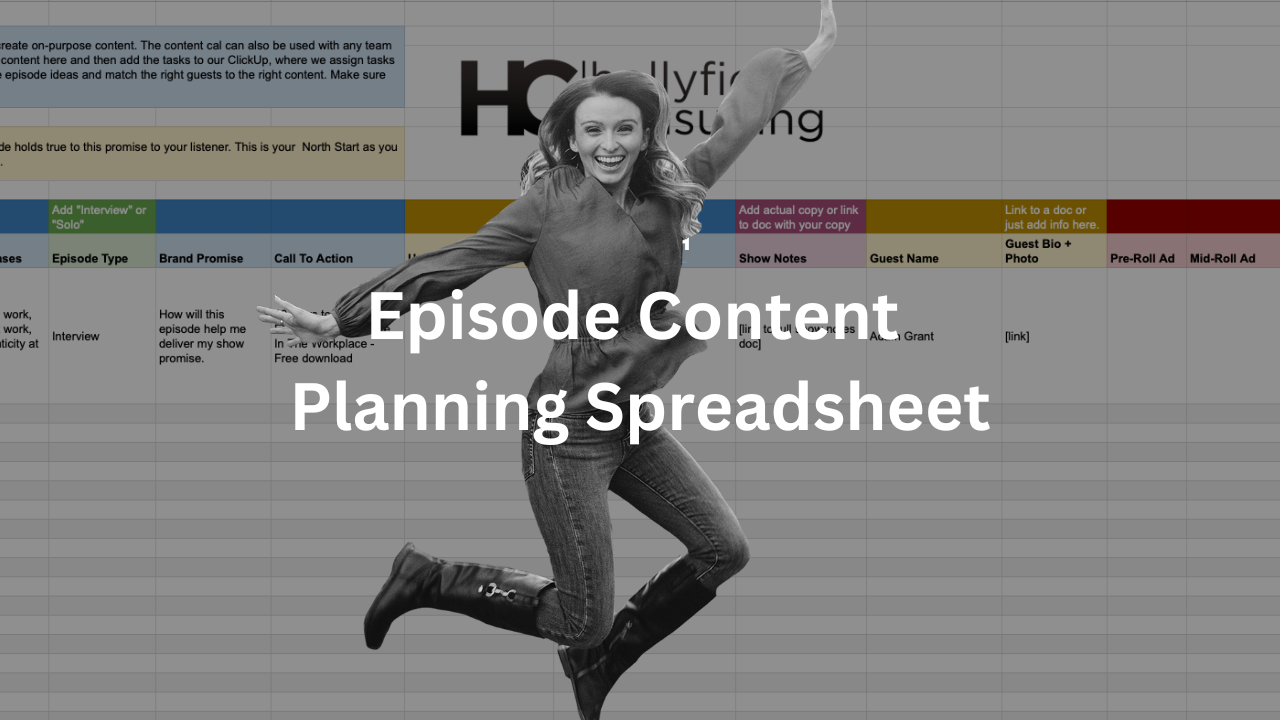
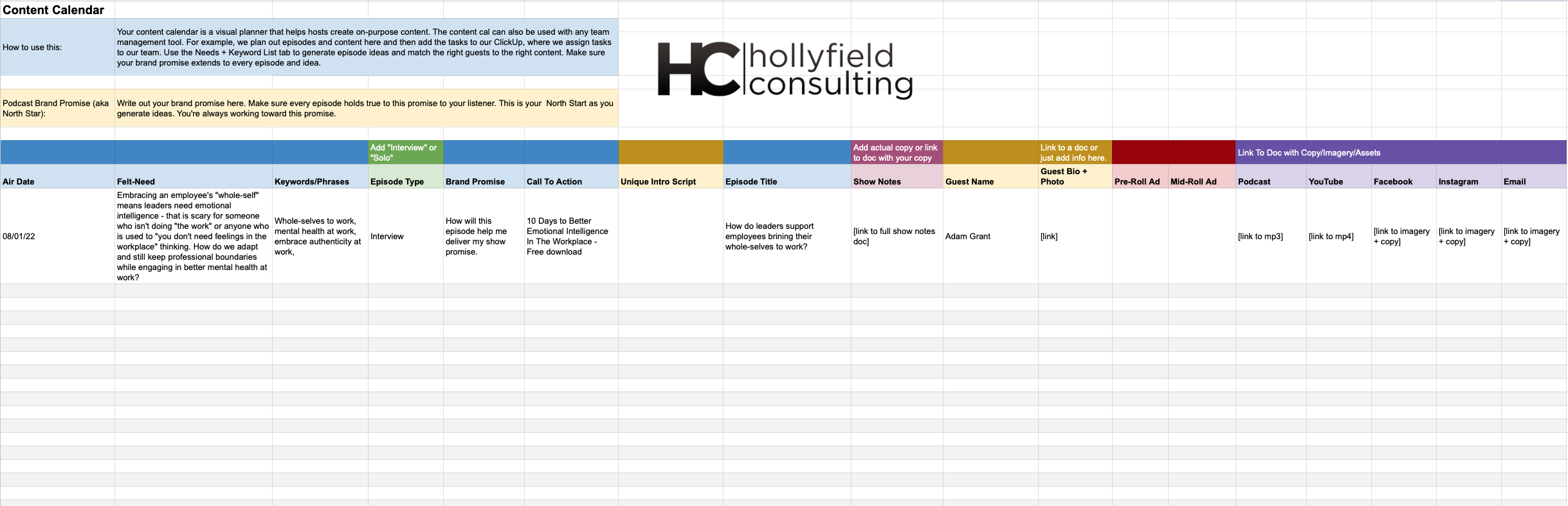
If you want to keep listeners and ensure you deliver on your brand promise in every episode, you must prepare. When prepping content, I map out details in a Google Drive spreadsheet. Then, once a month of content is mapped out, I get it into my project management software – ClickUp.
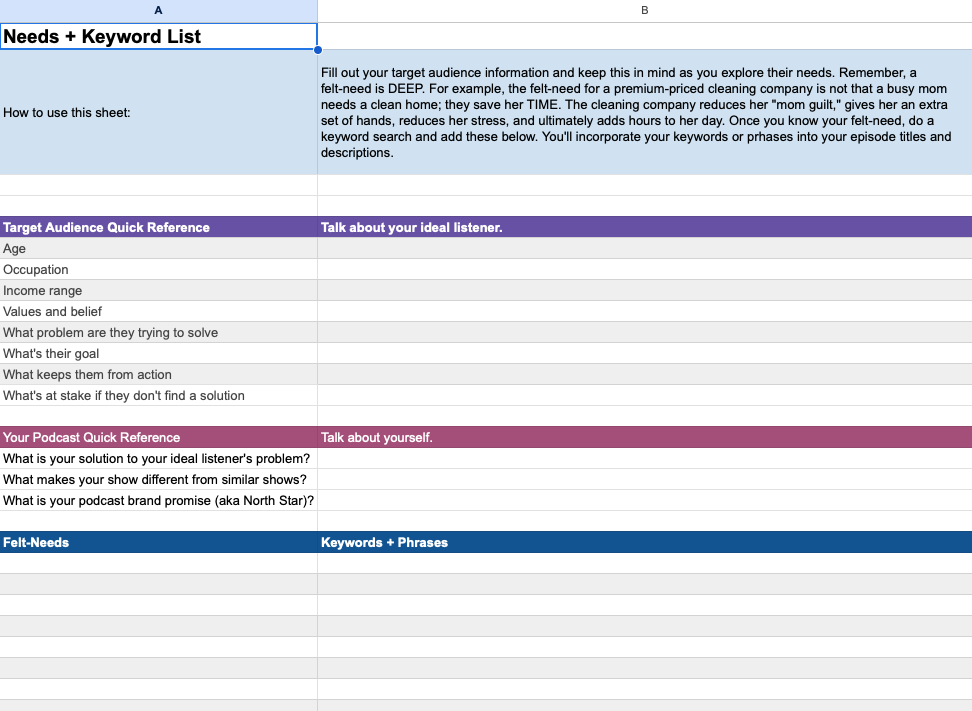
Below is a list of items I plan and check off for every episode. I also have a PDF you can download to see how my Drive Spreadsheet looks; you’ll need to zoom in to see the columns (easier) on the second page.
The content calendar is your bird’s eye view; it’s not developing a script you will read. That comes later. By creating your bird’s eye view FIRST, you stay strategic. It’s too easy to get lost in the weeds of episode creation and slowly stop delivering on your brand promise.
When you have a content calendar planned for the month, it gets much easier to know what you want to record when you sit in front of the mic or what script you will write. It will also inform who you reach out to as a potential guest. You can plan as far in advance as you’d like – planning will make getting the right guests on the calendar easier.
The content calendar also has a needs and keyword list. I encourage every host to keep a running list of their ideal listener’s needs. When you have a list of felt needs for your ideal listener, their thoughts/feelings/emotional challenges/literal challenges, etc., you have a list of potential episode ideas. You’ll see this on page one of the PDF download below. I keep this as tab one of my Google Drive planning spreadsheet.
Keep in mind some items like your unique intro, graphics, show notes, episode title, and social posts will be created AFTER you record your episode. I keep them in my content planner if I have ideas or a direction I’d like to take for each item.
Struggling With Your Podcast Audio or Video Setup?
Book a one-hour technical call with a seasoned podcast producer, editor, and someone that has setup home, network, and travel studios.
In this one-on-one session, you’ll learn how to optimize your mic, camera, lighting, and recording workflow for professional results from home.
For professional studio services, please book a Discovery Call for a custom proposal.
$175.00Book Your Call