
Adding your podcast RSS feed to TikTok can be a strategic move to reach a wider audience and engage with users in a unique way. TikTok, when done well, can help you get massive reach and impressions without spending ad dollars.
This new feature to add your podcast uses an important marketing principle that I call “closing the loop,” meaning any time you promote anything, you want it to be easy for your audience to act. When you add your RSS to TikTok, you can link full episodes to TikToks posted in the last 30 days! This is an incredible feature.
Steps to add your RSS to TikTok:
- Get your podcast RSS from your hosting account
- Open TikTok on your desktop or laptop web browser
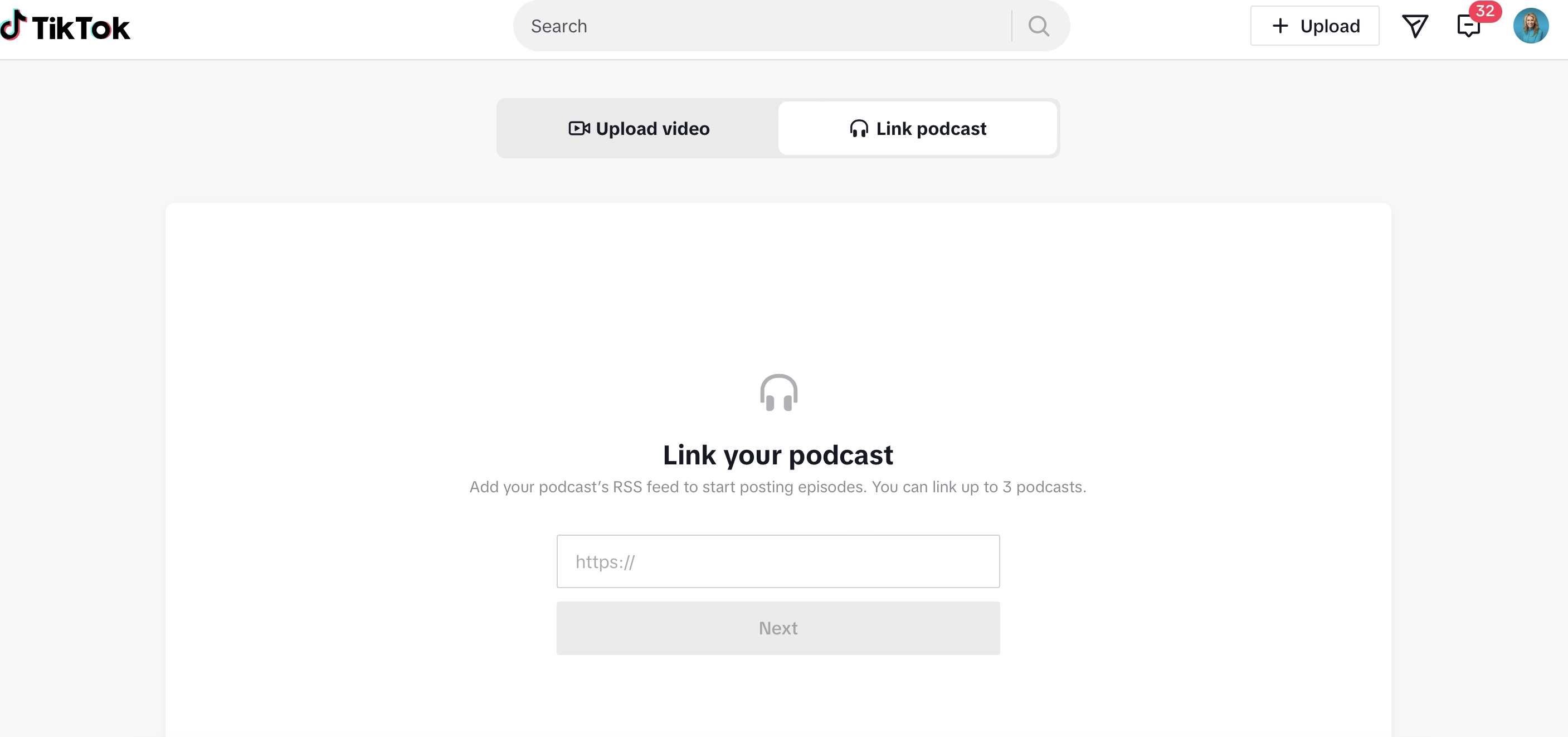
- Once logged in click “Upload” in the top right-hand corner
- Select “Link Podcast”
- Add your RSS and click “next”
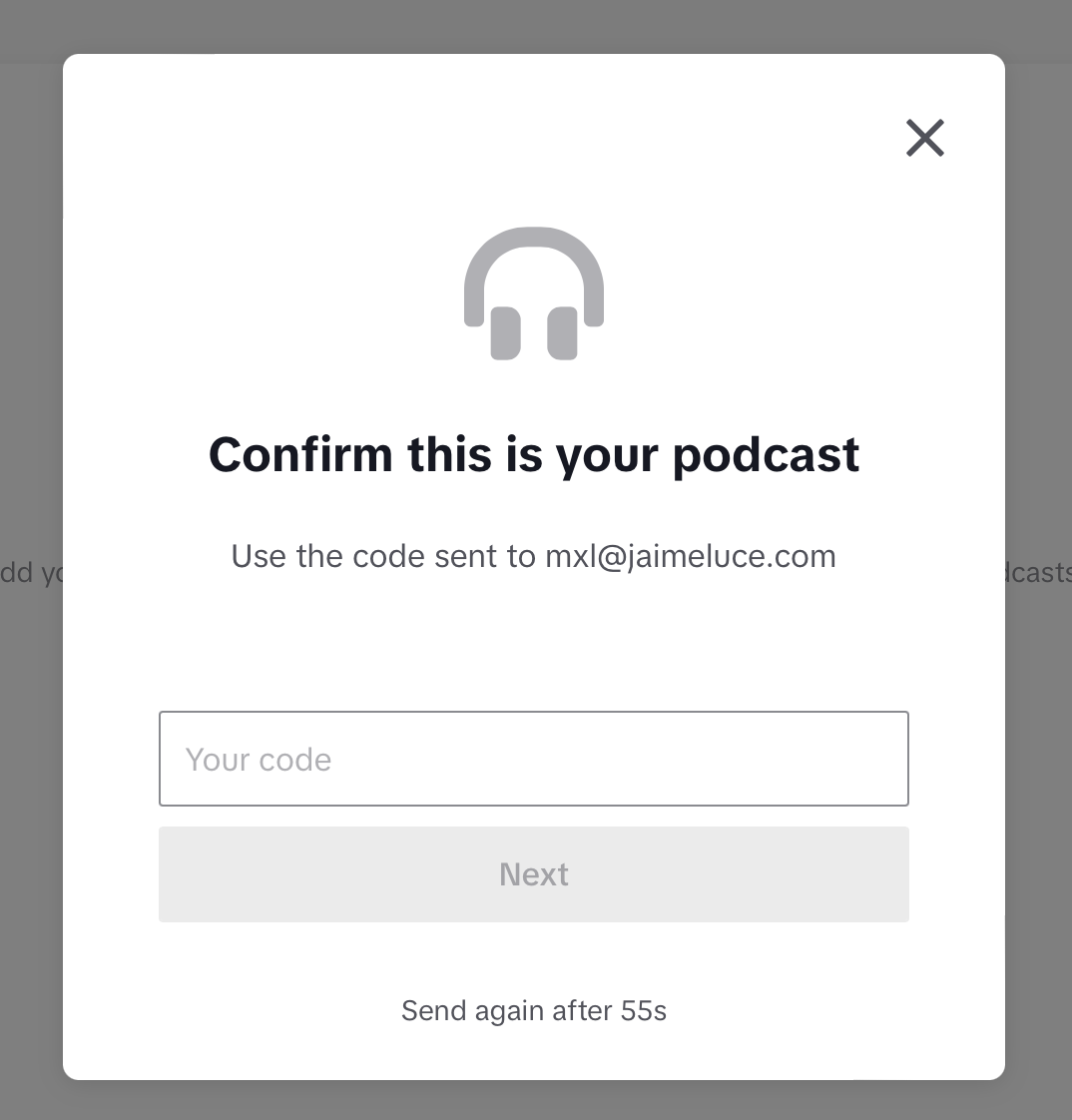
- Grab the code sent to the email address listed by TikTok
What to do once your podcast is added:
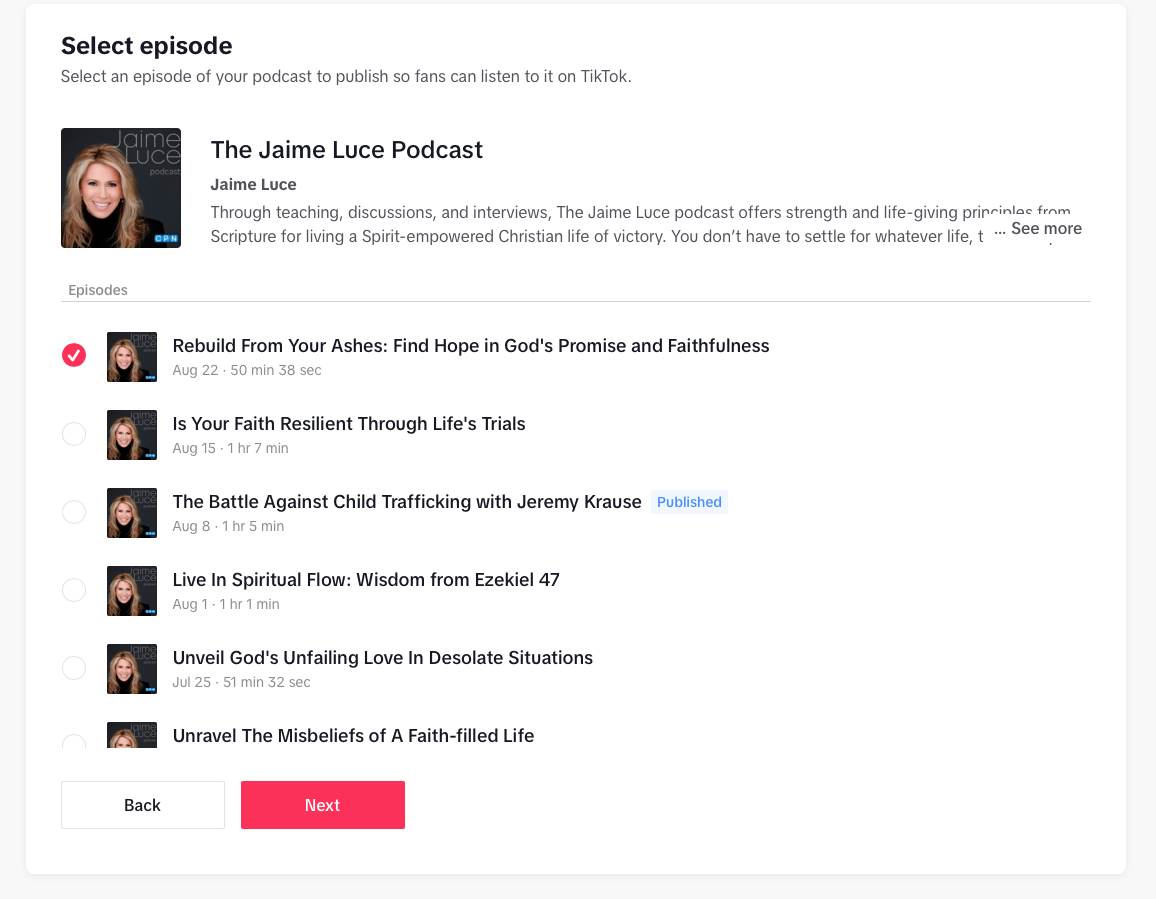
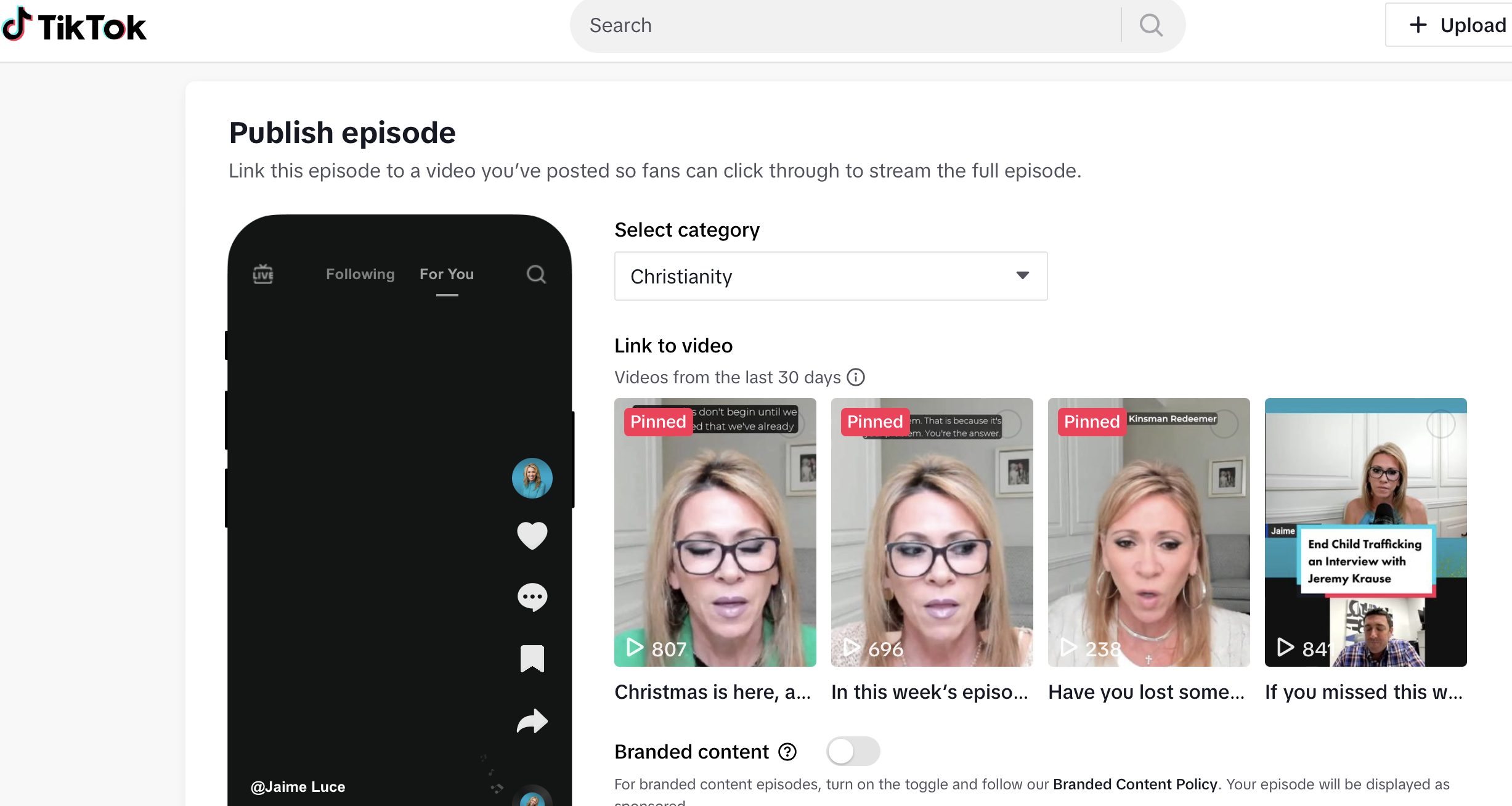
- Select an episode of your podcast to publish so fans can listen to it on TikTok.
- Link this episode to a video you’ve posted so fans can click through to stream the full episode.
- Episodes can only be linked to pinned videos or videos created within the last 30 days.
- Hit publish
Visuals to help you add your RSS to TikTok:
Get started:
Once you are logged into TikTok on your desktop or laptop browser, you’ll see this big “Upload” button. I’m giving you a visual so you can’t miss it. I really want you to take advantage of adding your show on TikTok. We are going to make this happen, y’all.

You’ll add your RSS here:
Remember, you pull your RSS from your hosting account. Your hosting is where you upload new episodes for your podcast, and from there, they are distributed across podcast platforms. Once you add your RSS to TikTok, it will also have the potential to be distributed here.
You’ll need to verify your RSS:
TikTok will send a verification code to the email associated with your RSS feed. You’ll see TikTok blocks out part of the original email address for safety.
Once you verify your RSS, you can select episodes and link them to TikToks:
You’re going to see your show graphic and a list of episodes. You’ll be able to select one episode that you can link to a recent TikTok in your next step.
How linking your episode to a post will look:
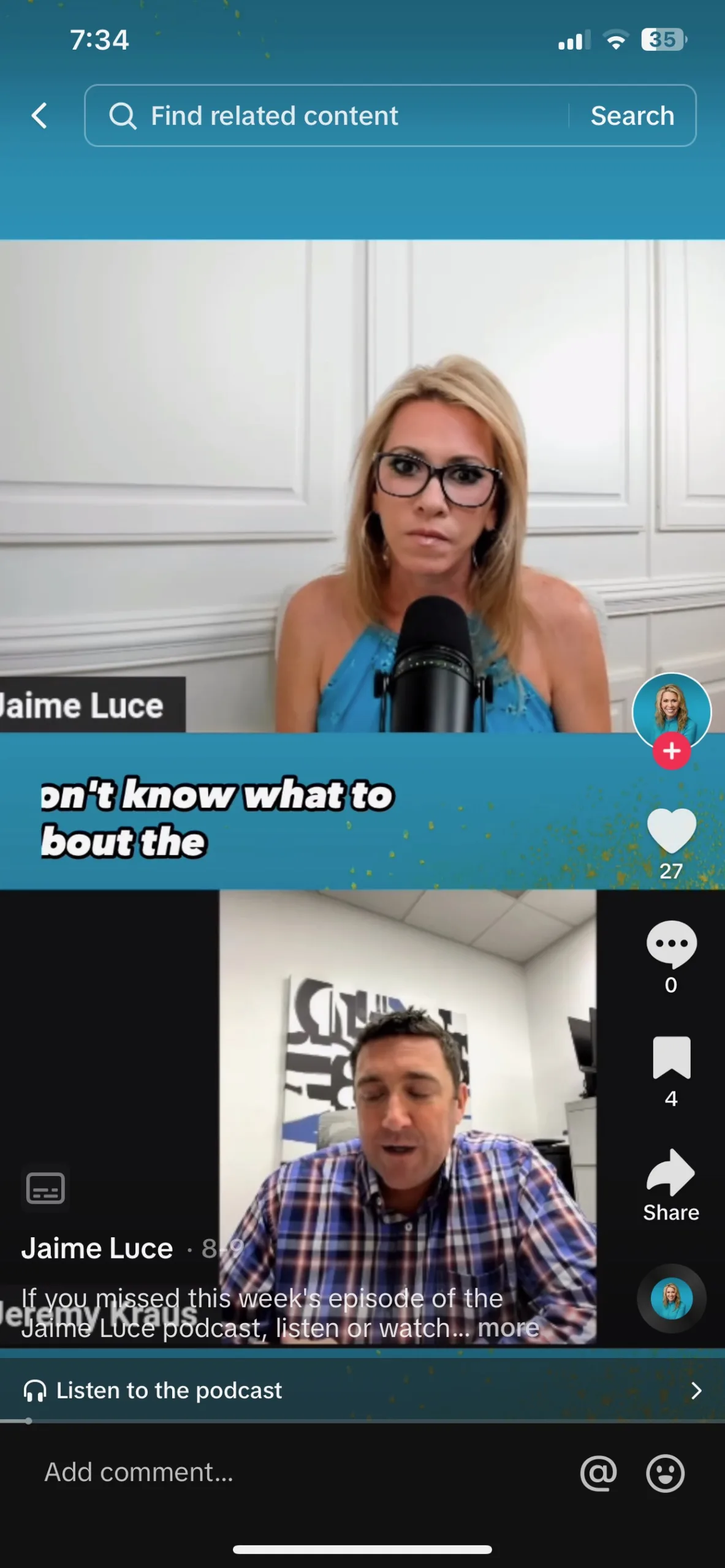
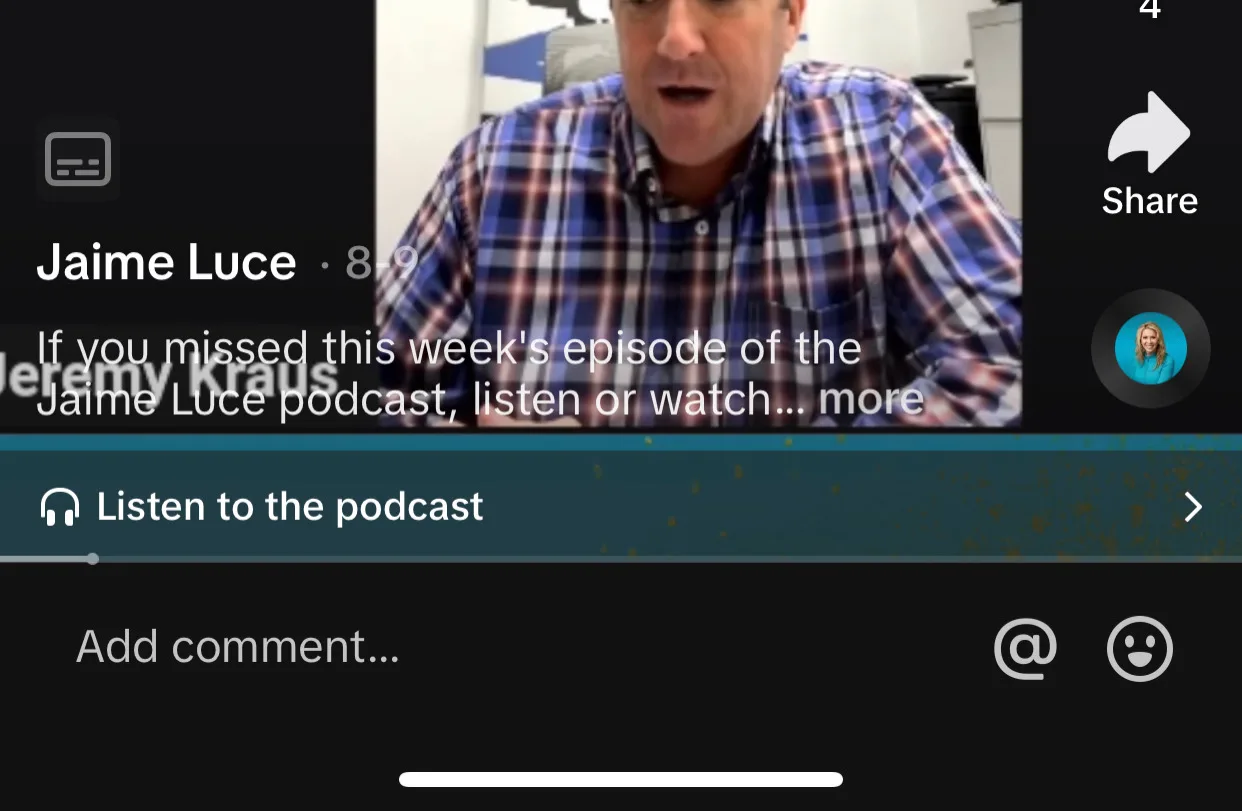
Once you link your podcast episode to a TikTok posted in the last 30 days, you’ll see a little button at the bottom of the TikTok encouraging people to listen to the full episode. Your people can listen in the app.
A little close-up of the “Listen to the podcast” button on a Tiktok:
Here is the deal and why this is so awesome. When someone listens on TikTok, that download is counted in your podcast hosting associated with your RSS! This setup is perfect if you are trying to increase your downloads for advertising opportunities.
Before You DO MORE Marketing
Or before you blame the algorithm. Find out if your copy and content connect, no matter where you’re posting or publishing.

Marketing doesn’t have to feel fake, manipulative, or exhausting.
If you’ve ever felt like you need to “sell out” just to get sales, posting every day, chasing trends, or copying soulless marketing templates, this book is for you.
This short, practical audio + ebook bundle is for mission-driven consultants, creatives, and small business owners who love the people they serve, but cringe at most of the marketing advice out there.
Listen to a sample:
Original price was: $15.99.$12.99Current price is: $12.99.Add to cart